What Apple offers today
In its iCloud guide, Apple lists Health as available on iPhone and iPad only. iCloud backs it up and syncs it between those devices, but iCloud.com has no Health section, and there is no Health app for Mac or Windows.
That leaves three official routes. iPad has had the Health app since iPadOS 17 and shows the same data, with Health turned on in iCloud on both devices. iPhone Mirroring opens your iPhone screen in a window on the Mac. And the export produces an XML file with everything Health stores, which you open on the computer.
Open Apple Health in a browser with telo
telo reads Health on your iPhone, with your permission, and sends the data to your account. On the computer, you sign in to the same account and see the charts. It works on Mac, Windows, Linux and the iPad browser, with nothing to install on the computer.
- Get telo from the App Store (telo.health/get?c=guide-mac-pc) and sign in with your email or with Apple.
- On the Apple Health sheet, allow the categories you want to see and tap Send history to telo. The first sync sends your history; after that the iPhone sends what is new on its own.
- On the computer, open telo.health/app and sign in with the same email. A 6-digit code arrives.
- Click Health. The summary shows your pinned cards, the Health app categories and when your iPhone last sent data.
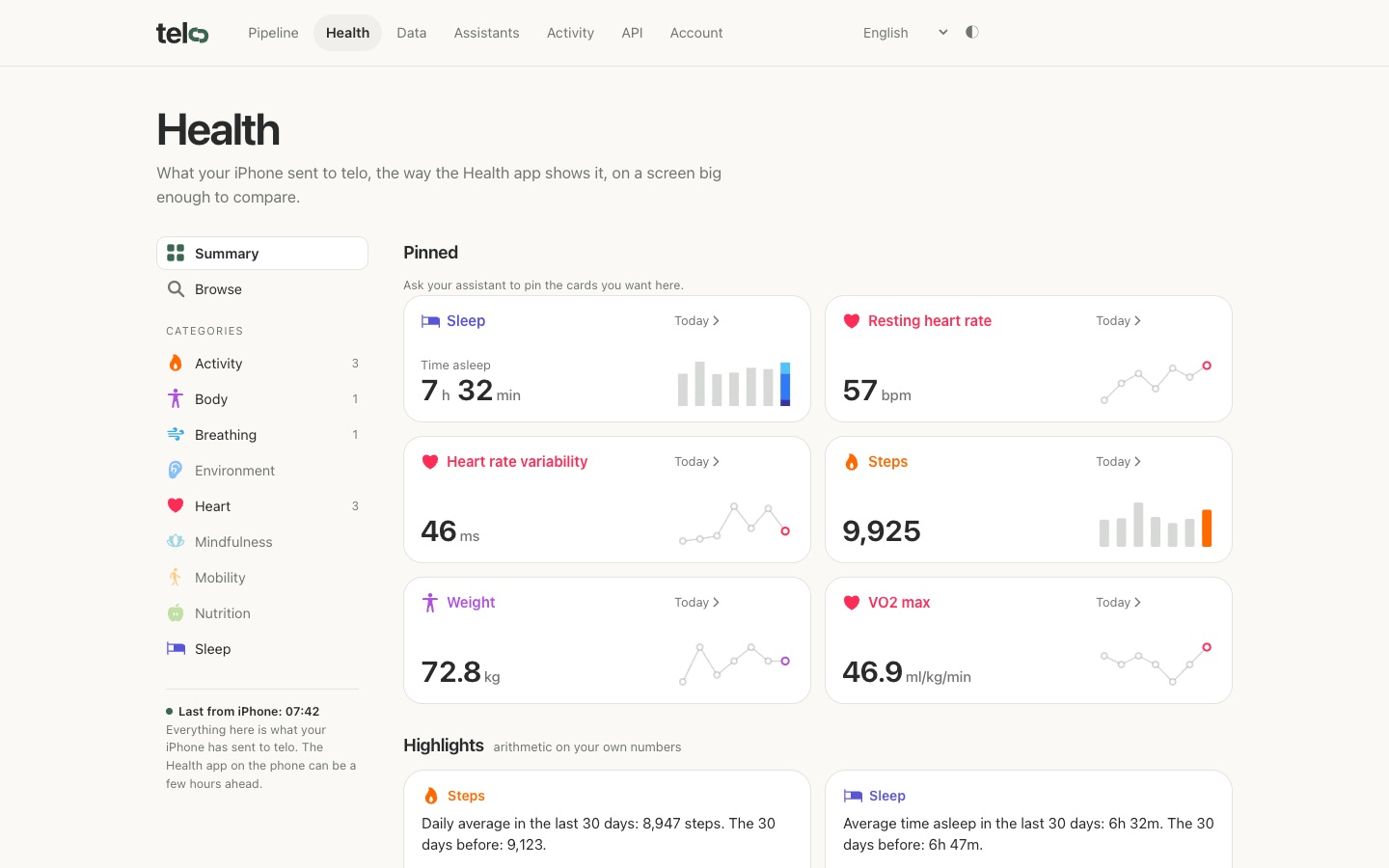
The Health tab in a browser, demo account with synthetic data (2026-11-16). - Click a metric. Pick W, M, 6M or Y and use the arrows to go back through your history. The shaded band is your normal: your own average, plus or minus one standard deviation, over the 60 days that end a week ago.
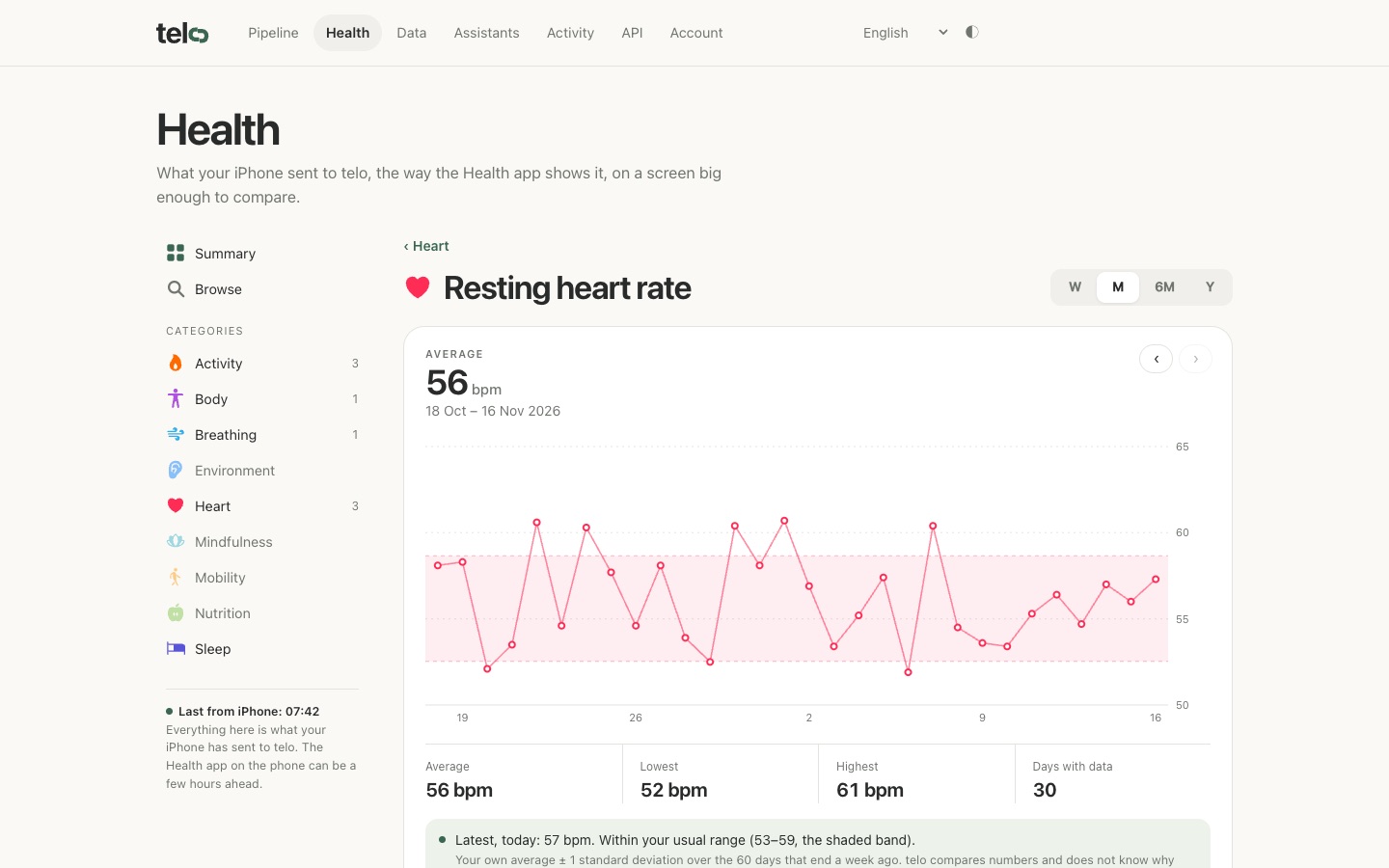
One metric over a month, with the usual range. Demo account. - Under Compare with, pick a second metric. The two charts sit one under the other on the same dates, and pointing at one marks the same day on both.
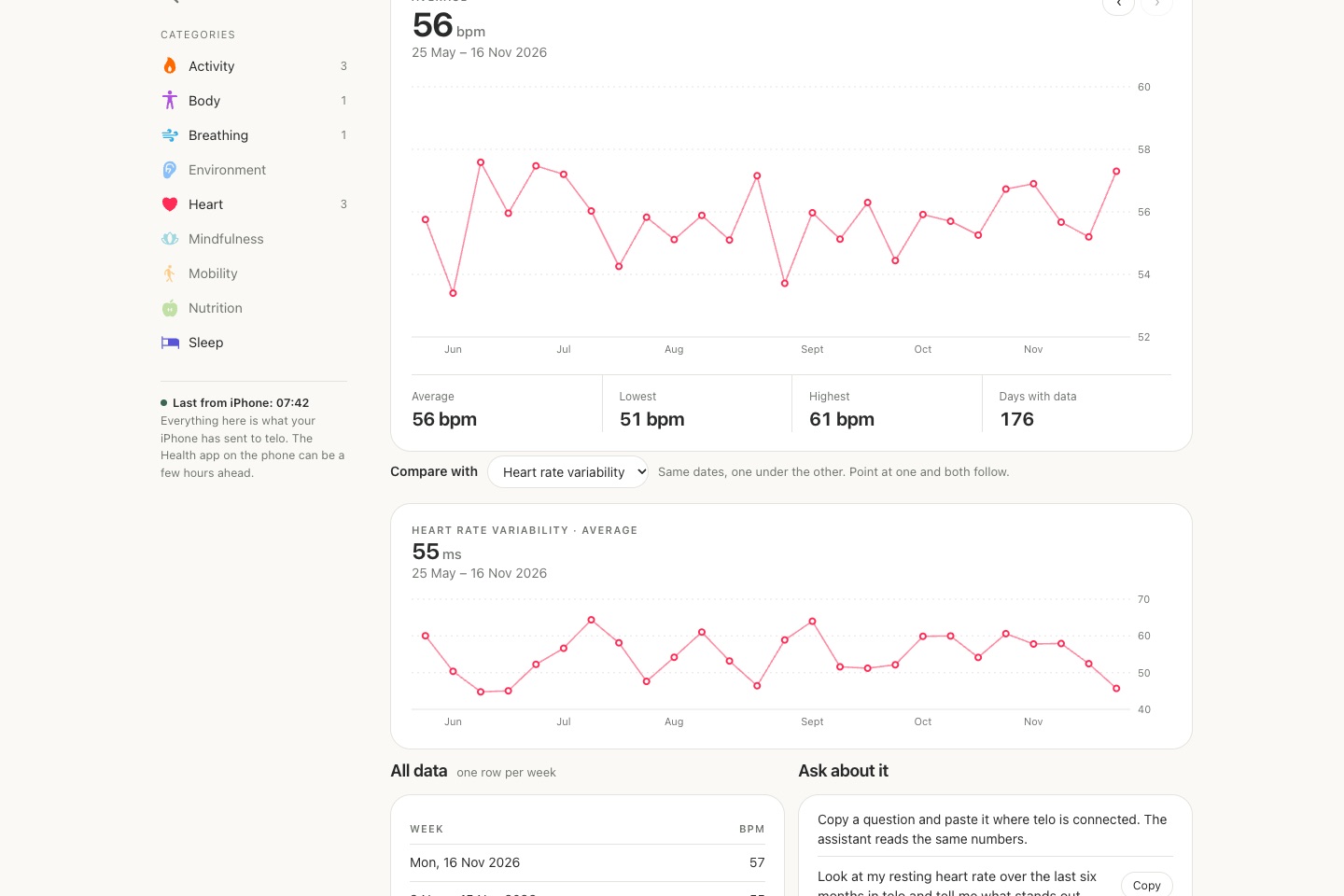
Resting heart rate compared with heart rate variability over 6 months. Demo account.
What the big screen is for
Review weeks and months at once. Each metric opens by week, month, six months or year, with average, lowest, highest and how many days have data, plus a table with one row per day, week or month depending on the period.
Compare two metrics on the same date axis, such as resting heart rate and heart rate variability, sleep and steps, or weight and active energy. The Health app on the iPhone does not put them on one screen.
See highlights with the arithmetic done, such as average steps over the last 30 days against the 30 before. And pin the cards you want by asking Claude or ChatGPT, which build the same home as the app.
The page shows what your iPhone has sent. Health on the phone can be a few hours ahead, and the time of the last send is always on screen.
The options side by side
| Option | Price | Opens on | Updates on its own | Limit | Source, date |
|---|---|---|---|---|---|
| Health app on iPad | Free | iPad with iPadOS 17 or later | Yes, through iCloud | Not a computer; Mac and Windows are left out | Apple: Health on iPad |
| iPhone Mirroring | Free | Mac with macOS 15 or later | Yes, it is the iPhone itself | Not in the European Union; no Windows; iPhone-sized window | Apple: iPhone Mirroring |
| Health app export | Free | Any computer | No, it is a snapshot of export day | XML is hard to read without a converter | Apple Support: share data in the Health app |
| HealthExport Remote | US$4.99 a month or US$29.99 a year | Browser | Yes, several times a day | A dashboard you build; subscription on top of the app | App Store: Health Export CSV |
| Health Auto Export | Premium US$6.99 a year or US$24.99 lifetime | Mac (Sync to Mac) | Yes, from the iPhone | Mac only; the web dashboard is one you host yourself | App Store: Health Auto Export |
| telo | Free: last 7 days; Pro: US$49 a year | Any browser (Mac, Windows, Linux, iPad) | Yes, the iPhone sends in the background | Read only; the full history on screen is Pro | telo |
Ask about the same chart
Each metric comes with ready questions to copy, such as “Compare my resting heart rate this month with the same month last year”. Paste one into Claude or ChatGPT with telo connected, and the assistant reads the same numbers the screen shows.
If you want your history in a spreadsheet, your web account also downloads a ZIP with CSVs of daily metrics, sleep and workouts, covering everything synced, Free included.
Who sees your data
With your permission, telo syncs Apple Health records to its service. The Health tab opens only with your session in the browser and has no public link: to show someone, you show the screen. Records an assistant reads in a conversation are also processed by the AI service you chose.
Practical questions
Is there a Health app for Mac?
No. Apple lists Health on iPhone and iPad only. On a Mac, the official route is iPhone Mirroring, which shows your phone screen in a window, outside the European Union.
Can I see Apple Health on iCloud.com?
No. iCloud backs up Health and syncs it between iPhone and iPad, but iCloud.com has no Health section.
How do I view Apple Health data on Windows?
Apple has no route for Windows beyond the XML export. With telo on your iPhone, you open telo.health/app/health in Chrome, Edge or any browser and see current charts.
Do I have to export again to see new data?
Not with telo. The iPhone sends what is new in the background, and the screen shows when it last did. Apple's export is a snapshot of the day you exported.
Can I compare two metrics on one screen?
Yes. On any metric, Compare with opens a second metric below it on the same dates, such as resting heart rate and heart rate variability.
How much does it cost?
Free shows your last 7 days on the web. Pro costs US$49 a year (local price in the App Store) and opens the whole history your iPhone has sent, in conversations with your assistant too.
Sources
- Apple Support: apps and features that use iCloud, checked 2026-11-16
- Apple Support: iPhone Mirroring, checked 2026-11-16
- Apple: iPad User Guide, intro to Health, checked 2026-11-16
- Apple Support: share your data in Health on iPhone, checked 2026-11-16
- App Store: Health Export CSV, checked 2026-11-16
- App Store: Health Auto Export, checked 2026-11-16
How this guide was prepared
On 2026-11-16 we checked Apple's support pages for where Health is available, the iPhone Mirroring requirements and the export, and prices on the App Store pages. Screenshots are telo's Health tab in Chrome on 2026-11-16, in a demo account with synthetic data; no number belongs to a person.