What Apple says the score reads
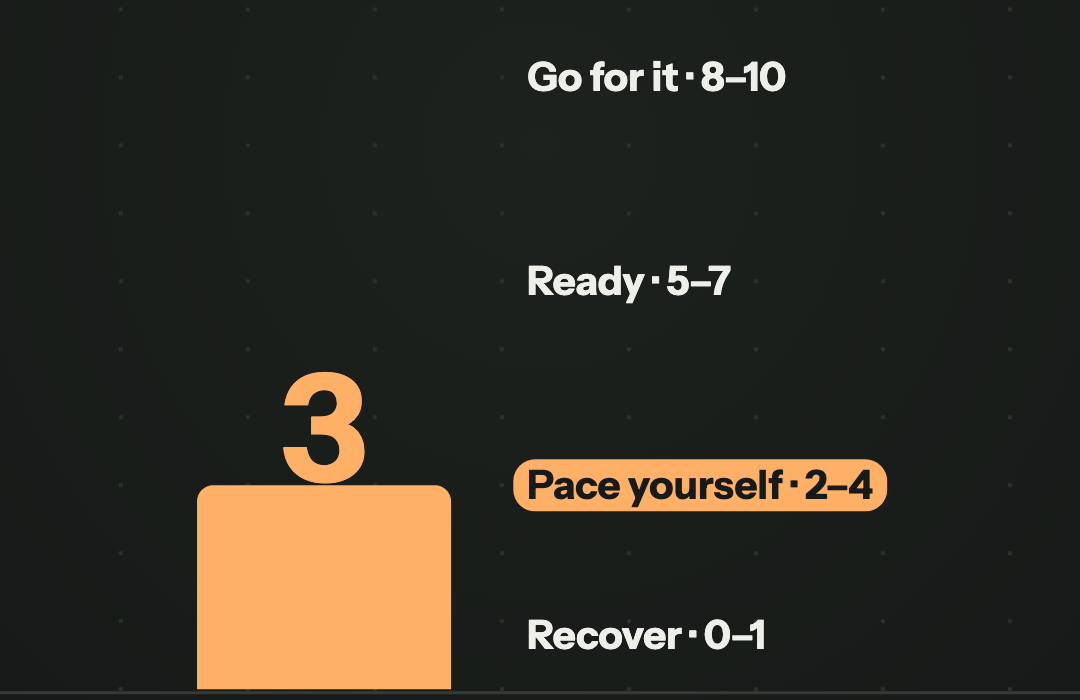
The score runs from 0 to 10 in four bands: Recover (0 to 1), Pace Yourself (2 to 4), Ready (5 to 7) and Go For It (8 to 10). Apple lists the inputs: activity (active calories, workout effort ratings and Training Load), daytime and overnight vitals compared with your usual range, and your sleep score from the previous night plus your recent history. It needs Apple Watch Series 12 or Ultra 4 and seven nights wearing the watch.
Apple does not publish the weights or the thresholds. A review of readiness and recovery scores across wearable brands (Doherty and colleagues, 2025) points to the same gap: the formulas are proprietary and not openly validated. That review came out before Apple's score, so it does not test it.
For any watch: ask which input left your normal
Paste this into Claude or ChatGPT with your watch data. It works with any watch that writes sleep, HRV and resting heart rate to your health app. The readiness score itself is not needed: the prompt reads the inputs, which is where the reason is.
My Apple Watch readiness score was low on [DATE]. For that day and the 7 days before it, show my sleep (hours and how it compares with my last 60 days), my HRV and resting heart rate overnight against my usual range for the last 60 days, and my active calories and workouts. Tell me which input was furthest from my normal, and say how many days of data you had.Check each of the last 7 days against your normal
With telo connected, your assistant reads each night's time asleep, daily HRV, resting heart rate and active energy straight from Apple Health, and compares each day with your own 60-day baseline. Sixty days of history in the conversation is part of telo Pro; on Free, ask about the last 7 days without the baseline.
Ask for each day, not the week's average. An average can sit right on your normal while one day is far off.
Using telo, show my sleep, HRV, resting heart rate and active energy for each of the last 7 days against my usual range over the last 60 days, and tell me which input was furthest from normal and on which day.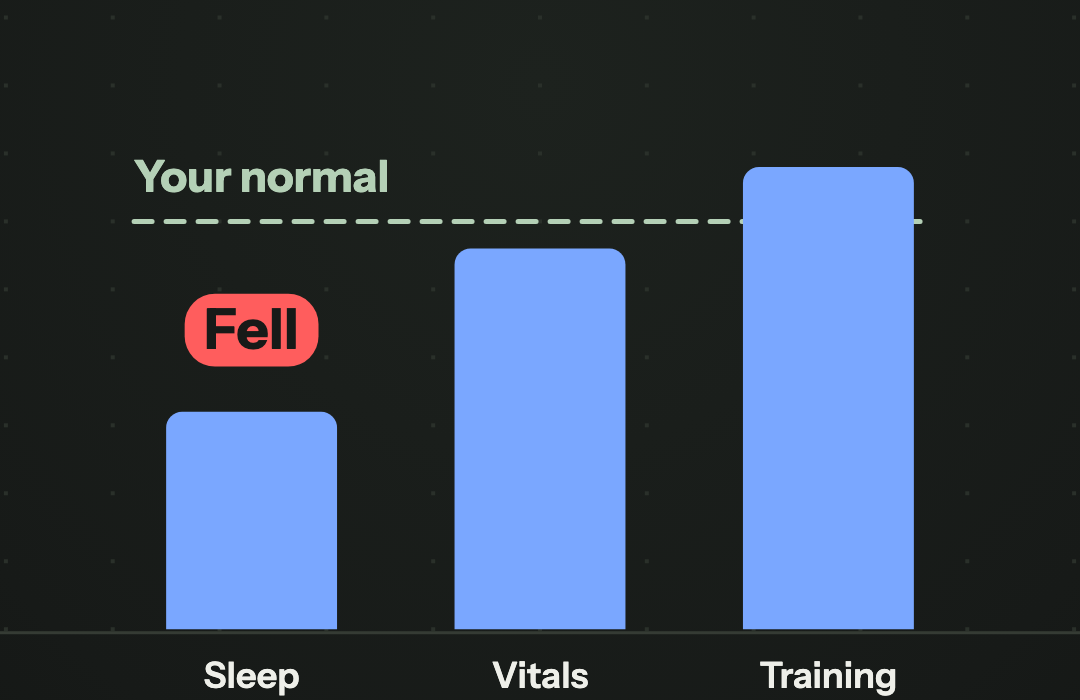
What the test showed
On one account, telo returned all 7 nights and all 7 days from 12 to 18 November 2026, with a 60-day baseline behind each day. Averaged over the week, every input sat near normal: 7.6 hours asleep against a usual 7.7, HRV 61 ms against 61, resting heart rate within a beat.
Day by day it was different. On 15 November, HRV was 16% below the baseline and resting heart rate 3 beats above it, the morning after the week's biggest active energy day and a 6.7 hour night. On 13 November the night was 5.9 hours with more than 2 hours awake. Those are the mornings a low score would point to, and each one has a different reason.
telo does not receive the readiness score itself, so the test checked the inputs, not Apple's number. The last day was partial, since the test ran in the morning.
How to read your answer
This is not medical advice. Apple describes readiness as a wellness feature, not a medical judgment.
- Find the input furthest from your normal, in your own units: hours of sleep, ms of HRV, beats of resting heart rate.
- Short sleep: the fix is tonight, and a planned easy session usually still fits.
- Vitals off your normal after hard days: that is your body still absorbing the training. An easy day is the usual answer.
- Vitals off your normal with no hard training and normal sleep: think illness, alcohol, heat or stress, and watch the next days.
- Nothing far from normal: the score may be reacting to something small. Your inputs are the better guide for the decision.
Practical questions
What does the Apple Watch readiness score measure?
Apple says it reads your activity and Training Load, your daytime and overnight vitals compared with your usual range, and your sleep from the previous night and recent history. It shows a number from 0 to 10 in four bands. Apple does not publish how much each input counts.
Should I skip my workout when the score is low?
Check which input moved first. A short night, vitals off after hard training and vitals off with no reason each point to a different decision. The score alone cannot tell them apart.
Can Claude or ChatGPT see my readiness score?
telo does not receive the readiness score itself. It does read the inputs Apple describes, sleep, HRV, resting heart rate and active energy, which is what you need to see why the score moved.
Sources
- Apple Support · Understand your readiness score on Apple Watch
- Doherty et al., 2025 · readiness, recovery and strain scores in consumer wearables · Translational Exercise Biomedicine (summary by Marco Altini)
How this guide was prepared
The Apple Watch prompt was tested on 18 November 2026 against one account, with the owner's permission, using only telo's read tools: sleep sessions, daily active energy, and HRV and resting heart rate compared with the preceding 60 days, from 12 to 18 November 2026. Sleep is time asleep (core, deep and REM), not time in bed. The scale, bands and inputs come from Apple Support, checked on 17 November 2026; the Doherty review was read only in the author's summary, so no number from it is used here. The images are frames from Reel ep32 and the bar heights in them are illustrative. Prepared with AI assistance.